SurfSense: The Open Source Perplexity Alternative That Actually Respects Your Data
Why pay $20/month and send your proprietary data to external APIs when you can run everything locally?

The Perplexity Problem
Perplexity is brilliant. NotebookLM is transformative. But both have the same fundamental flaw: your data leaves your infrastructure.
Every query you make, every document you upload, every internal discussion you analyze – it all flows through external APIs, gets processed on someone else’s servers, and potentially contributes to training future models.
For Gen AI engineers building enterprise systems, this isn’t just a privacy concern – it’s a non-starter.
Enter SurfSense: an open-source alternative that gives you Perplexity-level capabilities while keeping everything under your control.
What Makes SurfSense Different
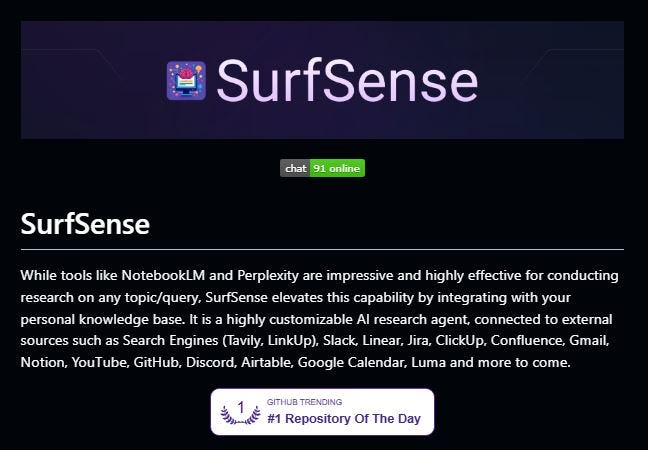
SurfSense isn’t just another RAG implementation. It’s a complete AI research agent that connects to your entire knowledge ecosystem while running entirely on your infrastructure.
The key differentiator: integration depth without vendor lock-in.
The Architecture Advantage
External Integrations:
Search Engines (Tavily, LinkUp)
Project Management (Linear, Jira, ClickUp)
Documentation (Confluence, Notion)
Communication (Slack, Discord)
Code Repositories (GitHub)
Media (YouTube videos)
Privacy-First Design:
Works flawlessly with Ollama local LLMs
Self-hostable on your infrastructure
No data leaves your environment
Complete control over model selection
The Technical Implementation That Matters
From an MLOps perspective, SurfSense demonstrates production-grade RAG architecture:
Advanced RAG Techniques
Multi-Model Support:
100+ LLM options
6000+ embedding models
All major rerankers (Pinecone, Cohere, Flashrank)
Sophisticated Retrieval:
Hierarchical indices (2-tiered RAG setup)
Hybrid search (semantic + full-text with Reciprocal Rank Fusion)
Multiple file format support (50+ extensions via LlamaCloud)
RAG as a Service:
API backend for programmatic access
Integration-ready architecture
Scalable deployment options
This isn’t toy demo code – it’s enterprise-ready infrastructure.
Features That Actually Solve Real Problems
1. Personal Knowledge Base
Upload documents, images, and videos across 50+ file formats. Everything gets indexed and becomes searchable through natural language queries.
The Use Case: Your company’s internal documentation, design files, meeting recordings, and project artifacts in one searchable system.
2. Cited Answers with Source Attribution
Every response includes citations to source material, just like Perplexity. But unlike Perplexity, you can verify that those sources are actually from your controlled knowledge base.
The Use Case: Compliance requirements where you need to trace every AI-generated answer back to verified sources.
3. Blazingly Fast Podcast Generation
Convert chat conversations into audio content in under 20 seconds. Support for multiple TTS providers (OpenAI, Azure, Google Vertex AI).
The Use Case: Transform technical documentation into audio learning materials or create internal podcasts from team discussions.
4. Multi-Source Research Agent
The system doesn’t just search your files – it can pull from search engines, check Slack conversations, review Jira tickets, and synthesize information across your entire digital workspace.
The Use Case: Due diligence research that requires synthesizing information from code repositories, project management tools, and external sources.
The Local LLM Advantage
SurfSense works seamlessly with Ollama, meaning you can run the entire stack locally:
Infrastructure Stack:
Local LLM (via Ollama)
Local embedding models
Local vector database
Self-hosted search indices
Benefits:
Zero API costs for inference
Complete data privacy
No rate limits or quotas
Customizable model selection
For organizations with strict data residency requirements or cost-sensitive workloads, this is transformative.
The Enterprise Reality Check
What You Gain:
Data Sovereignty: Everything stays on your infrastructure.
Cost Control: No per-query API fees once deployed
Customization: Full control over models, prompts, and behavior.
Integration: Connect to tools already in your stack.
Compliance: Meet regulatory requirements for data handling
What You Trade:
Setup Complexity: Self-hosting requires infrastructure expertise. Maintenance: You own the operations burden.
Model Updates: Manual management vs automatic cloud updates.
Initial Investment: Time and resources for deployment
For most enterprises, this trade-off heavily favors self-hosting.
Deployment Strategies
Option 1: Fully Local Development
Perfect for individual developers or small teams:
Run Ollama locally
Deploy SurfSense on the local machine
Connect to personal tools via APIs
Zero cloud costs
Option 2: Private Cloud Deployment
Enterprise production setup:
Deploy on private cloud infrastructure (AWS, Azure, GCP)
Use managed Kubernetes for orchestration
Scale horizontally as needed
Maintain network isolation
Option 3: Hybrid Architecture
Best of both worlds:
Local LLM for sensitive queries
Cloud APIs for less sensitive workloads
Intelligent routing based on data classification
Cost optimization through selective API use
Comparing to Existing Solutions
SurfSense vs Perplexity
Perplexity:
Excellent UX
Fast and reliable
Limited customization
Data leaves your infrastructure
$20/month per user
SurfSense:
Customizable interface
Performance depends on your infrastructure
Unlimited customization
Complete data control
Infrastructure costs only
SurfSense vs NotebookLM
NotebookLM:
Google-grade AI capabilities
Limited source integrations
No local deployment option
Excellent for research
SurfSense:
Open-source flexibility
Extensive tool integrations
Full local deployment
Enterprise-ready features
Real-World Use Cases
Technical Documentation Assistant
Setup:
Ingest all product documentation, API specs, and architecture diagrams
Connect to GitHub for code context
Link Confluence for design decisions
Enable Slack integration for tribal knowledge
Result: Developers query complex technical questions and get cited answers drawing from all these sources.
Project Intelligence System
Setup:
Integrate Jira, Linear, and ClickUp for project data
Connect Slack for communications
Add Confluence for specifications
Include meeting recordings
Result: Leadership queries project status across multiple tools and gets synthesized answers with full context.
Customer Support Knowledge Base
Setup:
Upload support documentation and FAQs
Connect to Discord or Slack support channels
Include previous ticket resolutions
Add YouTube tutorial videos
Result: Support team gets instant answers with citations, dramatically reducing response time.
The MLOps Implementation Guide
Infrastructure Requirements
Compute:
Minimum: 8GB RAM, 4 CPU cores for small deployments
Recommended: 32GB RAM, GPU for local LLM inference
Production: Kubernetes cluster with GPU nodes
Storage:
Vector database (Qdrant, Milvus, or similar)
Document storage (MinIO or cloud object storage)
Metadata database (PostgreSQL)
Networking:
Secure API gateway
Internal service mesh
External integration endpoints
Monitoring and Observability
Essential metrics to track:
Query latency (retrieval + generation)
Embedding generation time
Cache hit rates
API integration failures
Cost per query (compute + storage)
Security Considerations
Access Control:
User authentication and authorization
Role-based access to knowledge sources
Audit logging for compliance
Data Protection:
Encryption at rest and in transit
Secure credential management
Network segmentation
The Open Source Advantage
Being open source means:
Community Innovation: Features and integrations contributed by users.
Transparency: Audit the code for security and compliance
No Lock-in: Fork and customize as needed. Cost: Free software, pay only for infrastructure
The GitHub repository is actively maintained with regular updates and a growing community.
Getting Started Today
Step 1: Environment Setup
bash
# Install Ollama for local LLM
curl https://ollama.ai/install.sh | sh
ollama pull llama2

# Clone SurfSense repository
git clone https://github.com/MODSetter/SurfSense.git
cd SurfSense
Step 2: Configuration
Set up your vector database
Configure LLM endpoints (local or API)
Add integration credentials
Step 3: Initial Deployment
Start the backend services
Launch the frontend
Upload your first documents
Test query functionality
Step 4: Integration
Connect to Slack, GitHub, etc.
Configure search engines
Set up podcast generation
The Future of AI Research Tools
The trend is clear: enterprises want the capabilities of tools like Perplexity and NotebookLM without surrendering data control.
SurfSense represents the future – powerful AI research capabilities that run entirely on your infrastructure, integrate with your tools, and respect your data sovereignty.
As data privacy regulations tighten and compliance requirements grow, self-hosted solutions move from “nice to have” to “mandatory.”
Cost Analysis: SurfSense vs Cloud APIs
Cloud API Approach (Perplexity):
$20/user/month for Pro
Additional API costs for integrations
Limited customization
Ongoing subscription costs
Self-Hosted SurfSense:
Infrastructure costs (estimate $200-500/month for small team)
One-time setup effort
Unlimited users
Complete customization
Scales with usage
Break-even point: 10-25 users, depending on infrastructure choices.
The Bottom Line
SurfSense proves you don’t need to choose between powerful AI research capabilities and data sovereignty. You can have both.
For Gen AI engineers building enterprise systems, SurfSense provides:
Production-grade RAG architecture
Extensive integration capabilities
Complete infrastructure control
Open-source flexibility
For teams tired of $20/month subscriptions that compromise data privacy, this is the solution you’ve been waiting for.
The age of closed-source AI tools is ending. The age of self-hosted, customizable, privacy-respecting alternatives has begun.
Are you running AI research tools on your own infrastructure? What’s your experience with self-hosted vs cloud solutions? Share your deployment stories and challenges.
Repository: https://github.com/MODSetter/SurfSense
Discord Community: https://discord.gg/ejRNvftDp9
P.S. If you’re building enterprise AI systems, self-hosting capabilities like this should be part of your evaluation criteria. The competitive advantage comes from systems you control, not APIs you rent.